
Laptop Posture and Lower Back Pain
Preventive Steps
At the desk: Use a simple, adaptable prop - a rolled blanket or cushion - to raise the hips slightly higher than the knees and support a more sustainable sitting posture.
During the day: Break up sitting with short, frequent walks. No single posture stays “good” for long; regular change between sitting, standing, walking, and returning to sit are far healthier than holding any one shape.
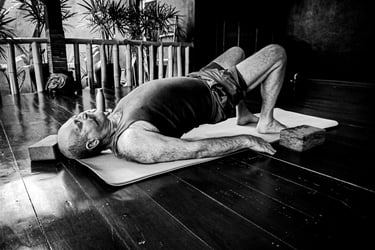
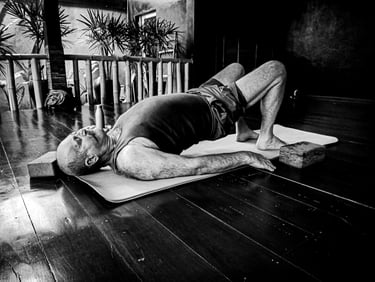
At the end of the day: Practise a targeted pose such as Bridge Pose to counter the day’s position. The height doesn’t matter; what counts is feeling the core and glutes engage to support the spine.
A rounded lower back often points to a type of back pain common among those who work at a desk with a laptop. This is what we see too often in class: people arrive after long hours hunched over screens, often in chairs that don't support them well, and the same postural pattern emerges.
When you hunch over a screen for extended periods, especially in chairs that don’t support you well, the muscles at the front of the hips tighten and shorten. At the same time, your gluteal muscles and core stabilisers weaken or simply “switch off” from underuse.
This imbalance pulls the pelvis into a tuck and can even reverse the natural lumbar curve. That shift increases pressure on the lumbar discs and over-stretches the supporting ligaments and muscles, which explains the familiar ache and stiffness many people feel by the afternoon.
Endnote:
Back pain has many origins, and different presentations call for different approaches. There’s no one-pose solution - choose movements that address your specific pattern of use.
More Insights